
How to set up email sharing in Swing Catalyst
This guide covers setting up an email account in Swing Catalyst for sharing lessons.
You can find the Email Sharing settings in Settings, on the Lesson & Sharing page. Select the Custom radio button and fill out your email address & password. Note: You may want to look up or contact your email provider for the outgoing smtp server address. This is required to be able to send outgoing emails.
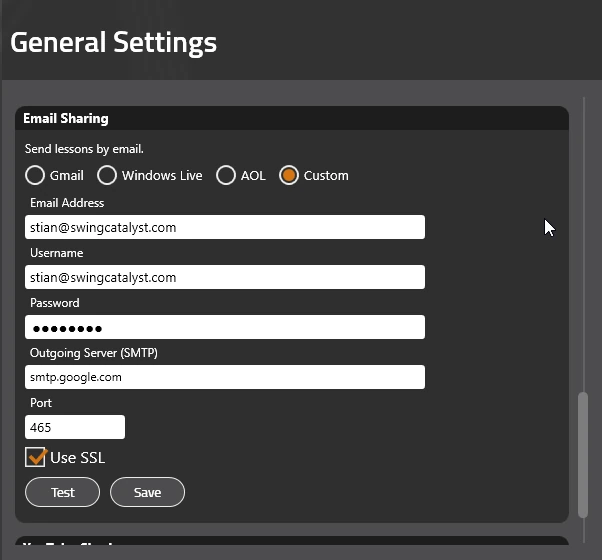
Please note that the port number & outgoing SMTP server will vary depending on your provider. Contact your email provider for more information.
We recommend port 587 with Use SSL ticked, unless your provider tells you otherwise. Your mail server decides whether an encrypted connection is required.
Port 465 is not supported. Swing Catalyst starts encryption on a normal connection (STARTTLS) and cannot use the implicit SSL/TLS connection that port 465 expects.