Skip to content
Swing Catalyst Support Swing Catalyst Support
Contact support
Getting Started/ Which version of the software am I using?

Which version of the software am I using?

Swing Catalyst 9.7 and newer

The version is listed in the bottom right corner
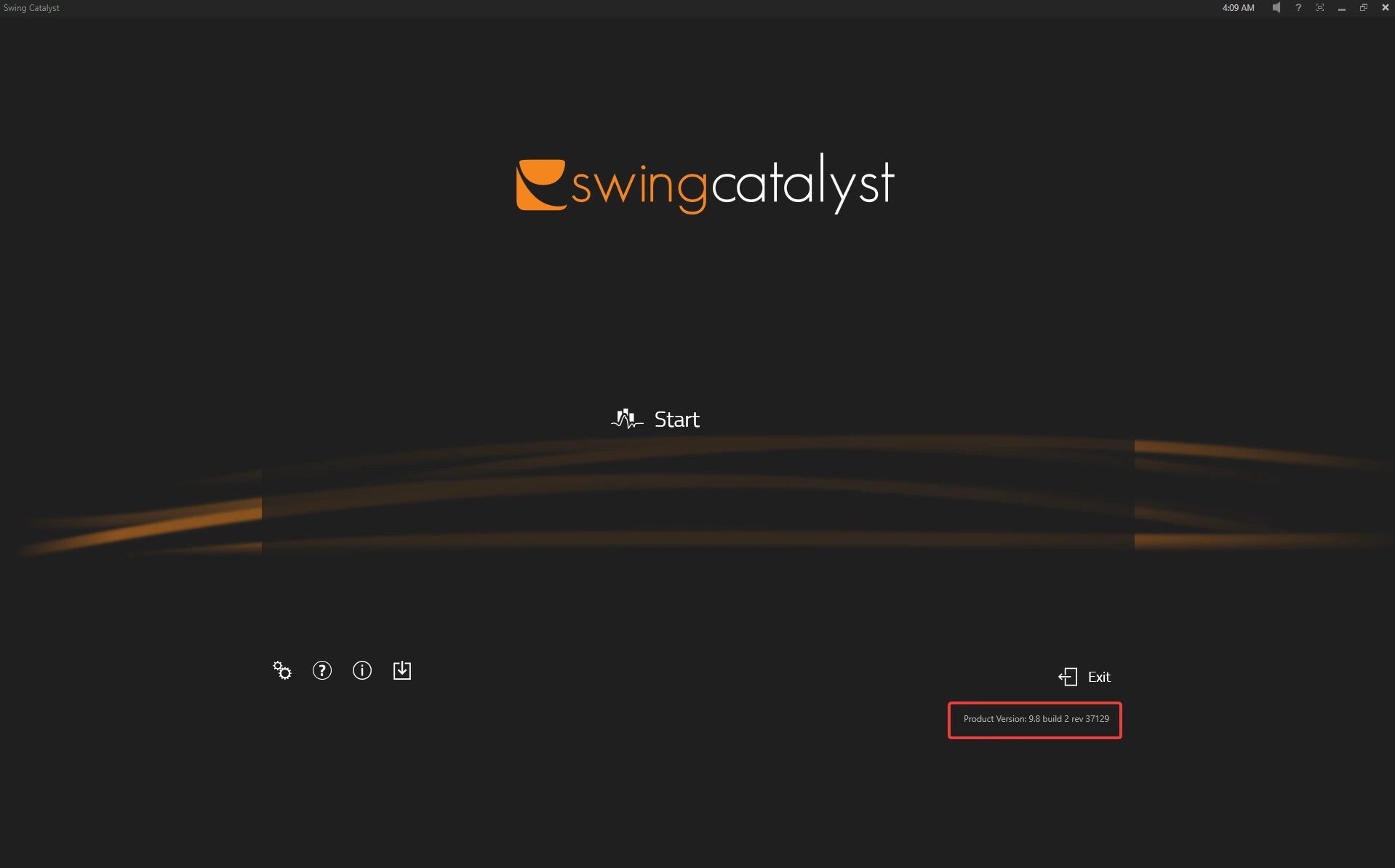
Swing Catalyst start screen with the product version, here 9.8 build 2 rev 37129, highlighted in the bottom right corner below Exit

Swing Catalyst 9.5 & older

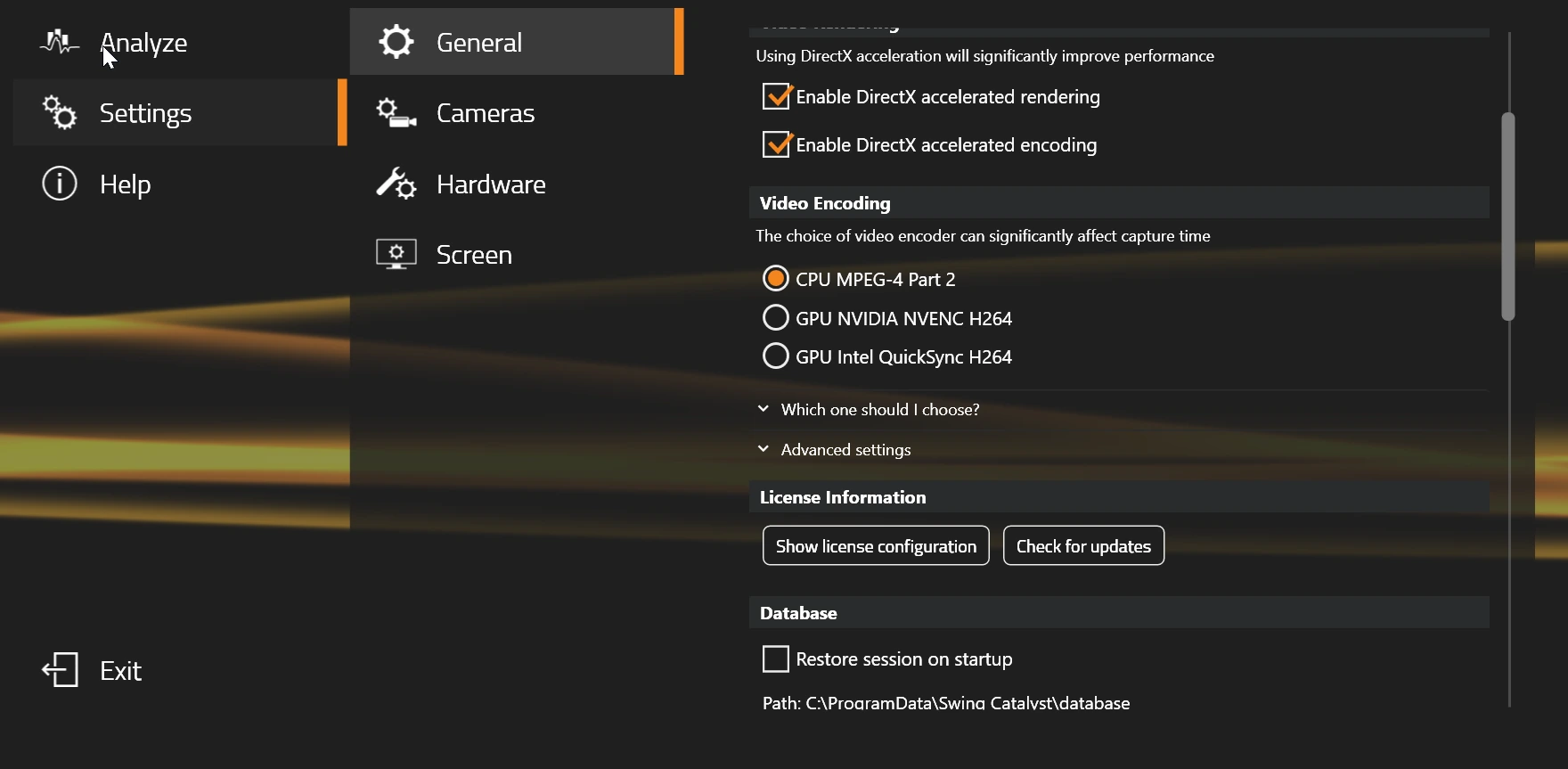
  • Go to the main menu and select Settings -> General.

  • Click Show license configuration

Settings menu with General selected, showing the Show license configuration button under License Information

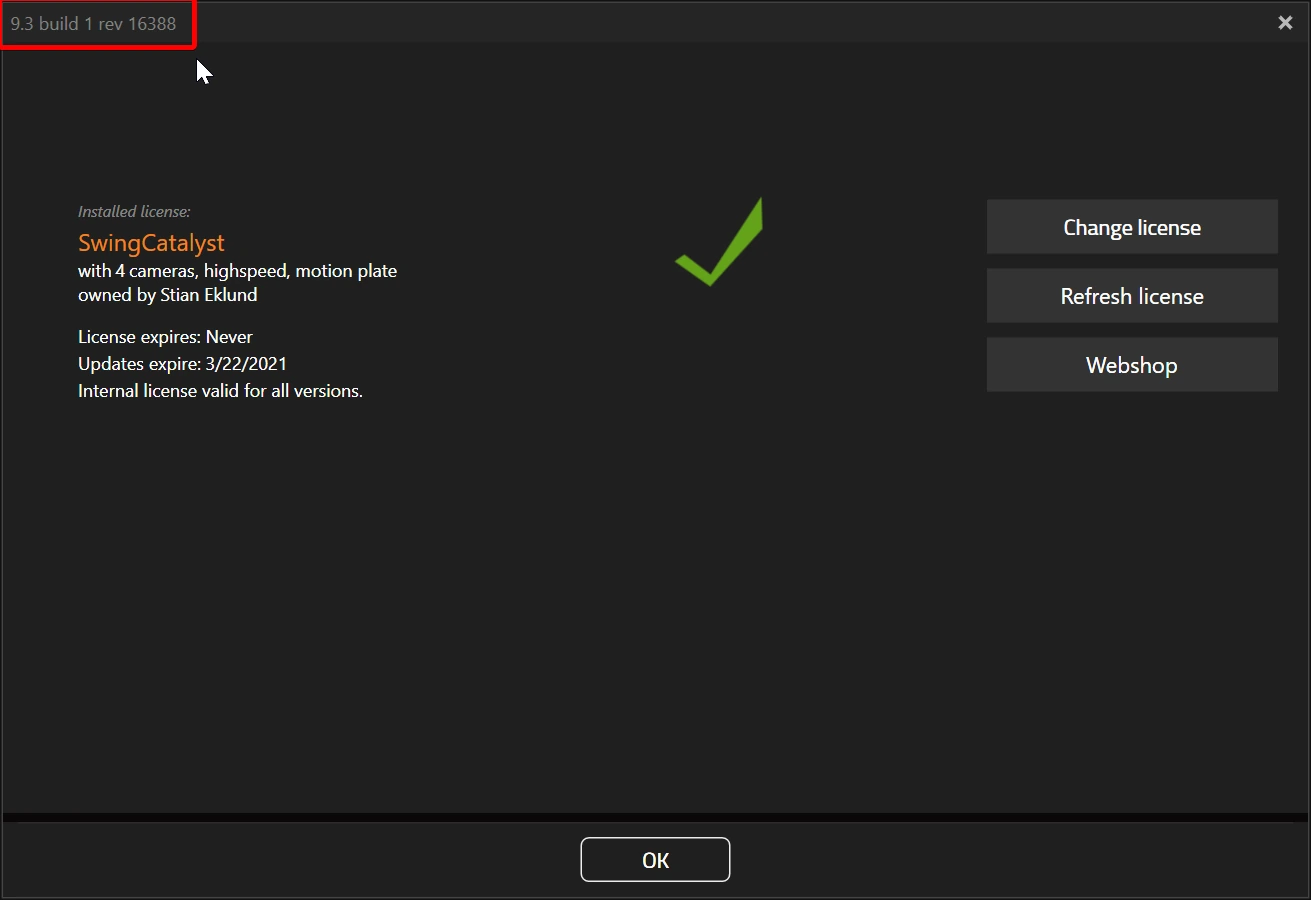
Version is highlighted in red:

License configuration window with the version number, here 9.3 build 1 rev 16388, highlighted in red in the top left corner

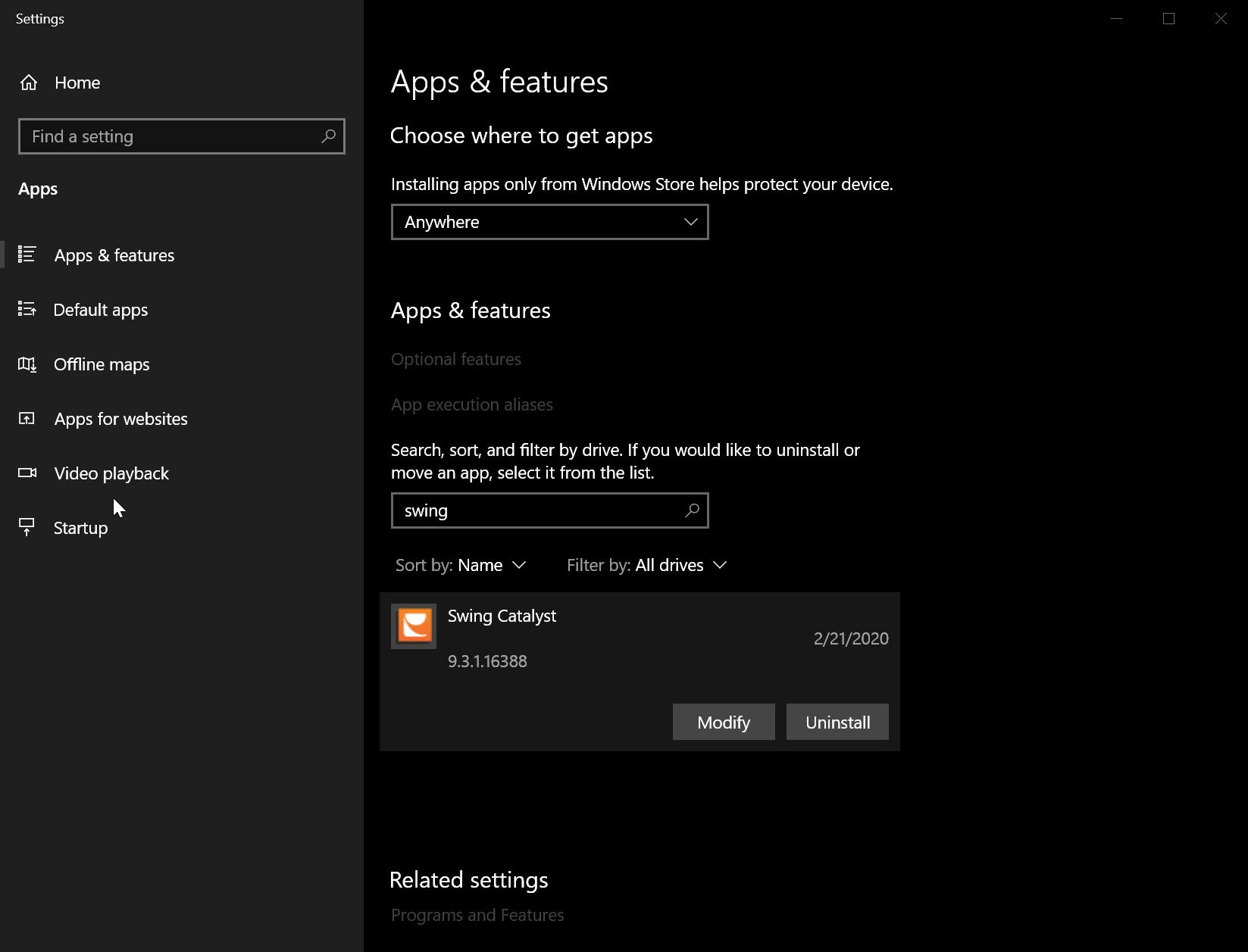
Checking through Windows Settings

Windows Settings, Apps & features, with a search for swing listing Swing Catalyst and its version number 9.3.1.16388

Don’t have a valid support & update plan?

Note: If you have a software subscription this does not apply to you, support & update is included in the subscription.

Purchase a support & update plan and get access to the newest software today: https://shop.swingcatalyst.com/products/support-update-plan


Last updated on