
How to change subscription type
This support article will cover the process of either upgrading or downgrading your Swing Catalyst software subscription.
NOTICE: If you signed up for a subscription before October 8th 2024 you will need to create a new account using the same email address as your current subscription before you can make any changes.
- Sign in at swingcatalyst.com , click “Account” in the top right corner and click “Manage subscription”
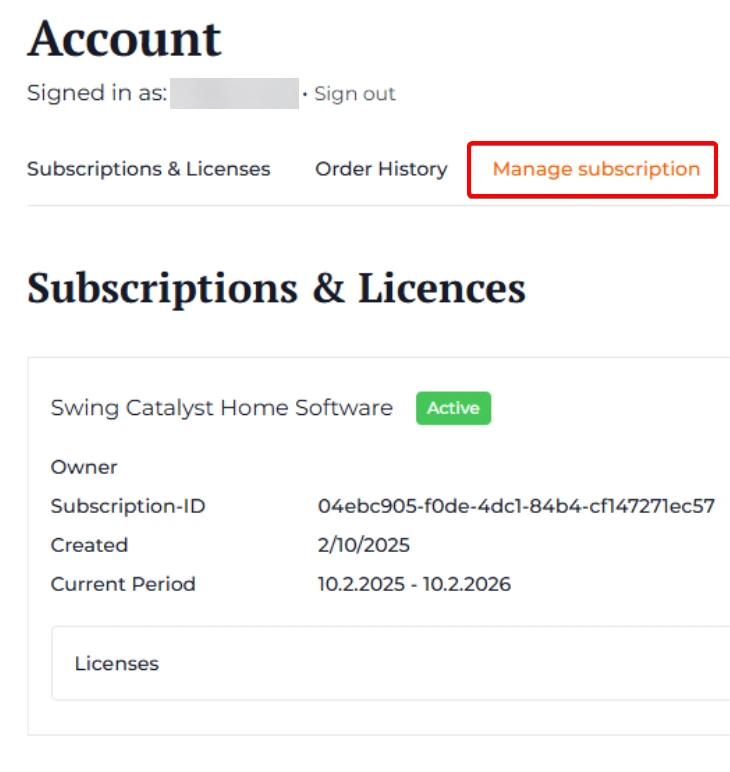
2. Here you should see all of your subscriptions listed
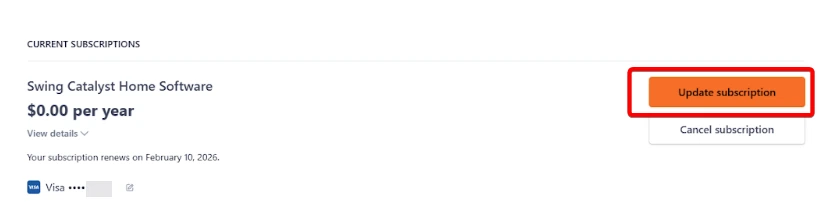
3. Click “Update subscription” on the one you want to change
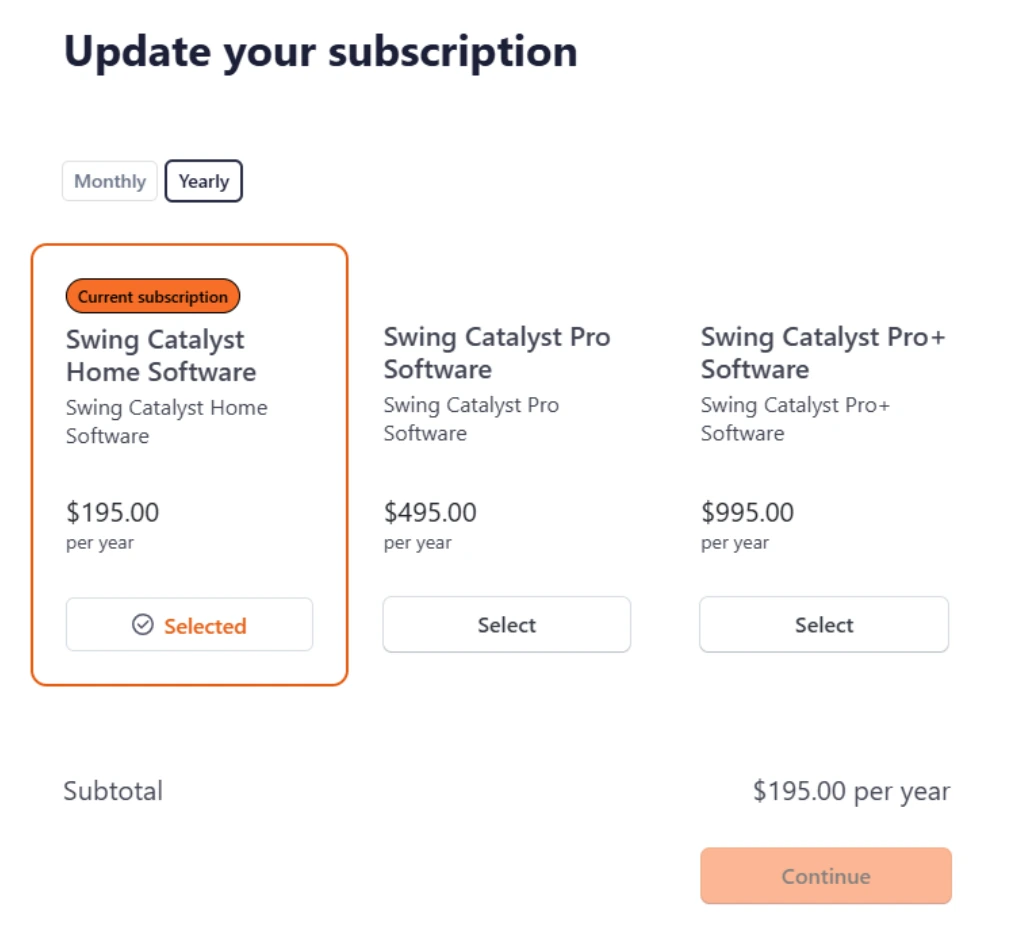
- From here you can select a different subscription and frequency of renewal
- The last step is paying any amount due. You will see a cost breakdown.
- If you keep the same renewal frequency, the charge covers the change from now until your current renewal date.
- If you switch between monthly and yearly, a new billing period starts on the day of the change, and you pay for the new period from that day.
- A downgrade can give you a credit instead of a charge.
Last updated on